Live Cursor Country
A real-time collaborative cursor experience where every visitor sees each other's cursors with their country flag — detected automatically via IP geolocation.
 Next.js
 WebSockets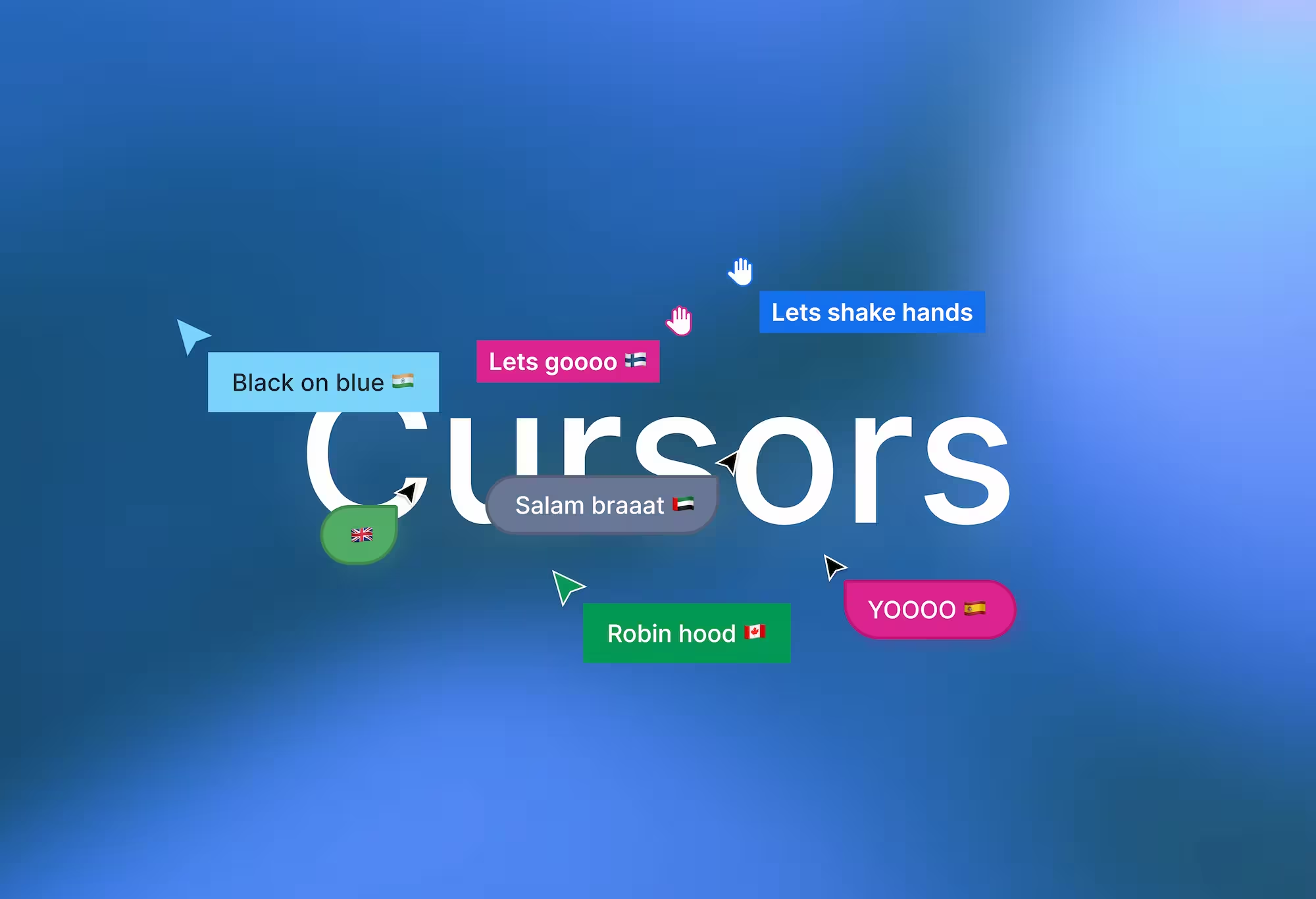
What is Live Cursor Country?
Live Cursor Country is a real-time collaborative experience where every visitor on the page can see each other's cursors moving around — each one labeled with the user's country name and flag emoji, detected automatically through IP geolocation.
When you land on the page, your cursor becomes visible to everyone else, and theirs become visible to you. Each cursor carries a randomly generated name like "swift-panda" or "bold-eagle," a unique color, and a country flag resolved from the user's IP address. There's no login, no setup, no friction. You just show up and you're part of it.
Under the hood, it's a Next.js 14 frontend connected to a PartyKit WebSocket server running on Cloudflare Workers. Cursor positions are batched every 50 milliseconds, sent to the server, and replayed on every connected client using requestAnimationFrame for smooth, fluid motion. Stale cursors are automatically cleaned up after 10 seconds of inactivity.
The Problem
Most "live cursor" demos you find online are either barebones proof-of-concepts or tightly coupled to a specific product like Figma or Notion. They show that real-time cursors are possible, but they don't give you anything you can actually deploy, modify, or learn from.
If you wanted to build your own version, you'd need to figure out a few things from scratch: how to set up a WebSocket server that handles multiple connections, how to broadcast cursor positions efficiently without flooding the network, how to interpolate movement so cursors don't teleport across the screen, and how to handle cleanup when users disconnect or go idle.
On top of that, adding context to each cursor — like which country the user is from — means integrating a geolocation API, converting country codes to flag emojis using Unicode Regional Indicator Symbols, and syncing that data across all connected clients through the server.
Live Cursor Country solves all of this in a clean, minimal codebase. It's a fully working implementation you can deploy in minutes, and every piece of the architecture is transparent and easy to follow.
How It Works
Connection and Identity
When a user opens the page, the usePartySocket hook establishes a WebSocket connection to the PartyKit server. The server immediately assigns the user a random name and a random color, then broadcasts a join event to every other connected client so they know someone new has arrived.
There's no authentication involved. Identity is ephemeral — it exists only for the duration of the session. This keeps the experience lightweight and removes any barrier to entry.
Country Detection
Once the WebSocket connection is open, the client makes a request to the ipapi.co geolocation API. This returns the user's country based on their public IP address. The client reads the country name and two-letter country code, then converts that code into a flag emoji using Unicode:
// "IN" → 🇮🇳
String.fromCodePoint(...[...code].map((c) => c.charCodeAt(0) + 127397));
The result is sent to the server, which stores it in the connection state and broadcasts a country-update message to all users. From that point on, every client renders that user's cursor with the correct flag and country label.
Cursor Movement and Batching
Raw mouse events fire dozens of times per second. Sending every single one over WebSocket would be wasteful and would create jitter on the receiving end. Instead, cursor positions are batched every 50 milliseconds with timestamps and sent as a single message.
On the receiving side, those batched positions are replayed using requestAnimationFrame, which interpolates the movement and produces smooth, natural-looking cursor motion — even across slower connections. This is the difference between cursors that teleport and cursors that glide.
Stale Cursor Cleanup
When a user disconnects, the server broadcasts a leave event and all clients remove that cursor. But disconnections aren't always clean — tabs crash, networks drop, browsers get force-quit. To handle this, the client also runs a cleanup check that removes any cursor that hasn't moved in 10 seconds. This prevents the screen from filling up with ghost cursors.
Live User Count
The server tracks the number of active connections and broadcasts an updated count whenever someone joins or leaves. The client renders this in a minimal HUD overlay, so you always know how many people are on the page with you.
Tech Stack
The frontend is built with Next.js 14, which handles page routing and the dev server. The real-time layer runs on PartyKit, a WebSocket framework built on top of Cloudflare Workers — it handles connection management, message broadcasting, and state persistence. The client connects using PartySocket, which provides a React hook (usePartySocket) for managing the WebSocket lifecycle. Country detection uses ipapi.co, a free IP geolocation API with 1,000 requests per day on the free tier. Styling is vanilla CSS — a dark theme with a dot-grid background, glassmorphism HUD, and custom cursor rendering.
WebSocket Message Flow
The system uses six message types to coordinate everything. The init message goes from server to client on connection, carrying the user's ID, name, color, country, a list of existing users, and the current count. The join message notifies all other clients when someone new connects. The country message goes from client to server after geolocation resolves. The country-update message broadcasts that country data to everyone. The update message carries batched cursor positions — client to server, then server to all clients. The leave message notifies everyone when a user disconnects. And the count message updates the live user count whenever the total changes.
Project Structure
The codebase is intentionally small. The app/ directory contains the root layout, global styles, and the home page which renders the main CursorCanvas component. The components/ directory has two files: Cursor.js for rendering a single cursor with its SVG arrow and country label, and CursorCanvas.js for the main canvas that tracks mouse input and renders all cursors plus the HUD overlay. The lib/ directory contains use-cursors.js, the core hook that manages the WebSocket connection, country detection, and cursor state. The party/ directory holds cursors.js, the PartyKit server that handles connections, messages, and broadcasts.
live-cursor-country/
├── app/
│   ├── globals.css        # Dark theme, HUD, cursors, animations
│   ├── layout.js          # Root layout with metadata
│   └── page.js            # Home page — renders CursorCanvas
├── components/
│   ├── Cursor.js          # Single cursor (SVG arrow + country label)
│   └── CursorCanvas.js    # Main canvas — mouse tracking, cursor rendering, HUD
├── lib/
│   └── use-cursors.js     # Core hook — WebSocket, geolocation, state
├── party/
│   └── cursors.js         # PartyKit server — connections, messages, broadcasts
├── partykit.json          # PartyKit config
├── package.json           # Dependencies and scripts
└── .env.local             # PartyKit host URL
Why I Built This
I wanted to build something that felt alive — a page where you could sense the presence of other people without any accounts, profiles, or chat boxes. Just cursors moving around, each one carrying a small piece of context about where in the world that person is.
The technical challenge was interesting too. Real-time cursor sync sounds simple until you actually build it. Batching, interpolation, cleanup, identity management, geolocation — each piece has its own set of edge cases. This project gave me a reason to work through all of them properly instead of hand-waving past the hard parts.
The result is something small but satisfying. A page that feels different every time you visit it because the people on it are different. That's the kind of thing I like building.





/RTSTIC